Calendly has become one of the go-to tools for professionals who want to simplify online scheduling. With a simple booking link, clients can choose a time that works for them and have it instantly added to your calendar. For online scheduling, it’s hard to beat.
But what happens when a client prefers to pick up the phone instead of booking through a link? That’s where Calendly shows its limitations.
Can You Do Phone Bookings with Calendly?
Calendly is designed as a web-first platform. It doesn’t answer calls, it doesn’t speak to your clients, and it certainly doesn’t add phone appointments to your calendar automatically. If you get a call from a client who wants to schedule, you’ll either need to take the call yourself or have someone on your team handle it manually. And if you miss the call? That potential booking might be lost.
Why Calendly Doesn’t Support Automatic Phone Scheduling
The simple answer is that Calendly was never built for phone scheduling. Its focus is on web-based booking pages, which work well for tech-savvy clients. But for businesses that rely on inbound calls — whether from new leads, patients, or clients — Calendly on its own is not enough.
This leaves businesses with a gap: they still need to cover the phones, answer common questions, and make sure every caller has a chance to book. Without that, missed calls lead to missed revenue. Manual note-taking wastes time and introduces errors. And outside of business hours, there is no coverage at all.
For many service businesses (law firms, consultants, real estate agents, healthcare practices), this is a serious limitation. Clients expect to call, get an answer, and book right away.
How to set up Automatic Phone Scheduling with Calendly
If you’re on this page, you are looking to extend the same simplicity of online booking to your phone calls.
In other words, you want something that can act as an AI receptionist. A system that answers calls around the clock, speaks naturally to clients, and schedules appointments directly into your existing calendar setup. This need is especially urgent in industries like law, healthcare, real estate, or consulting, where client calls are frequent and every missed opportunity can mean lost business.
How Voxiplan Extends Calendly with Automatic Phone Scheduling
This is exactly where Voxiplan comes in. Voxiplan was built from the ground up as a scheduling-first platform, designed to handle not just web bookings but also phone, chat, and SMS reservations in one place.
Voxiplan is the only AI scheduling platform built from the ground up to handle phone, chat, SMS, and web bookings — all synced with your calendar.
With Voxiplan, you can keep using Calendly for online scheduling while adding a layer of automation for calls. The AI Phone Assistant picks up every call in real time, speaks in natural language (in more than 66 languages), and guides the caller through the booking process. It then syncs the appointment directly into your calendar — whether you use Google, Microsoft, Apple, or Voxiplan’s own calendar.
Unlike voicemail or traditional answering services, the assistant doesn’t just take messages. It actually books the appointment, applies your scheduling rules, filters out spam, and even sends follow-up SMS reminders if someone hangs up before finishing the booking.
Here’s how it works:
- AI Phone Assistant: Answers every call in natural language (66+ languages).
- 24/7 Availability: Never miss a lead, even nights or weekends.
- Direct Calendar Sync: Works with Google, Microsoft, Apple, so you can integrate Calendly and Voxiplan with the same online calendar to sync availabilities.
- Smart Filters: Screens out spam and irrelevant calls.
- Follow-up SMS: Sends links if callers drop off before booking.
In short: Voxiplan fills the gap that Calendly leaves.
Calendly vs. Calendly + Voxiplan: What’s the Difference?
On its own, Calendly is excellent for online bookings. But combined with Voxiplan, it becomes a complete scheduling solution. Calendly still provides the familiar booking link your clients can click. Voxiplan adds the missing piece: the ability to handle every phone call automatically, without needing a receptionist.
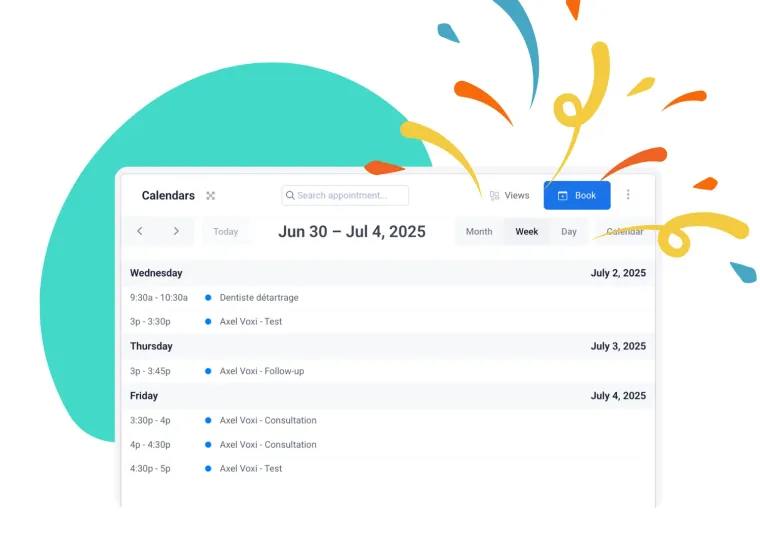
For businesses, this means you can offer clients the freedom to book however they prefer — online, by phone, through chat, or even via SMS. All bookings go into the same calendar, eliminating double-bookings and messy admin. The result is a seamless experience for both you and your clients.
| Feature | Calendly Alone | Calendly + Voxiplan |
|---|---|---|
| Online self-booking | Yes | Yes |
| Phone bookings | No | Yes — AI phone assistant |
| SMS & chat bookings | No | Yes |
| Multilingual support | Limited | 66+ languages |
| Spam call filtering | No | Yes |
| Scheduling rules (buffers, cancellations) | Basic | Advanced, rules-based |
| Follow-up reminders & SMS | Basic | Advanced, customizable |
Advanced Scheduling Rules You Can Automate
One of the biggest advantages of adding Voxiplan to your Calendly setup is that phone appointments don’t bypass your scheduling rules. Instead, they follow the same conditions you’ve already put in place.
That means your assistant can enforce minimum booking notice, prevent last-minute cancellations, block out buffer times before and after appointments, and limit how many times a single client can book. You can also set prep time for events, collect payments upfront via Stripe, and send automatic reminders. In practice, this ensures that whether a client books online or by phone, the same rules apply, keeping your calendar organized and your business running smoothly.
With Voxiplan, your phone bookings follow the same scheduling rules you already use online:
- Minimum notice (e.g., no same-day bookings).
- Cancellation windows (e.g., cancel up to 24 hours).
- Buffer times before/after appointments.
- Prep times for events.
- Max concurrent bookings per client.
- Payments via Stripe.
That means phone appointments are handled with the same precision as online bookings.
Who Benefits Most from Automatic Phone Scheduling
If your business depends on appointments, the ability to handle phone bookings automatically can be a game-changer. Law firms can ensure every lead call is answered, even after hours. Medical practices can reduce no-shows and avoid overloading reception staff. Real estate agents and brokers, who often juggle dozens of calls a day, can capture every appointment without missing a beat. Agencies and consultants can eliminate the back-and-forth of manual scheduling. And small businesses that want to look professional can scale their operations without hiring extra staff.
In all of these cases, the combination of Calendly for online scheduling and Voxiplan for phone bookings provides complete coverage.
How to Add Automatic Phone Scheduling to Calendly
The best part is that you don’t have to give up Calendly to make this work. You can keep using your Calendly booking page just as before. Adding Voxiplan is as simple as setting up a dedicated AI phone number for your business. From that point on, every incoming call is answered by your assistant, and every appointment is synced with your calendar.
This creates a single, unified scheduling system that works no matter how clients reach out. And because Voxiplan offers a free 14-day trial with no credit card required, it’s easy to test the setup and see the impact immediately.
Here’s how:
- Keep your Calendly booking page for online scheduling.
- Add a Voxiplan AI phone number to handle all incoming calls.
- Use Voxiplan to sync every phone appointment into your calendar.
It’s that easy — and you can start today with a 14-day free trial, no credit card required.
Try it for free and never miss a phone booking again
Calendly makes online scheduling simple, but it cannot handle phone bookings. For businesses where the phone is still a major channel, that’s a costly limitation. Voxiplan fills this gap by adding automatic phone scheduling on top of your existing Calendly setup.
With 24/7 phone coverage, multilingual AI conversations, spam call filtering, smart scheduling rules, and real-time calendar sync, Voxiplan ensures every call turns into a booking. No missed leads, no double-bookings, and no manual follow-up.
If you’re ready to capture every client call, start your free Voxiplan trial today — and experience what Calendly looks like with automatic phone scheduling built in.
Try Voxiplan free for 14 days and make sure every call turns into a booking.