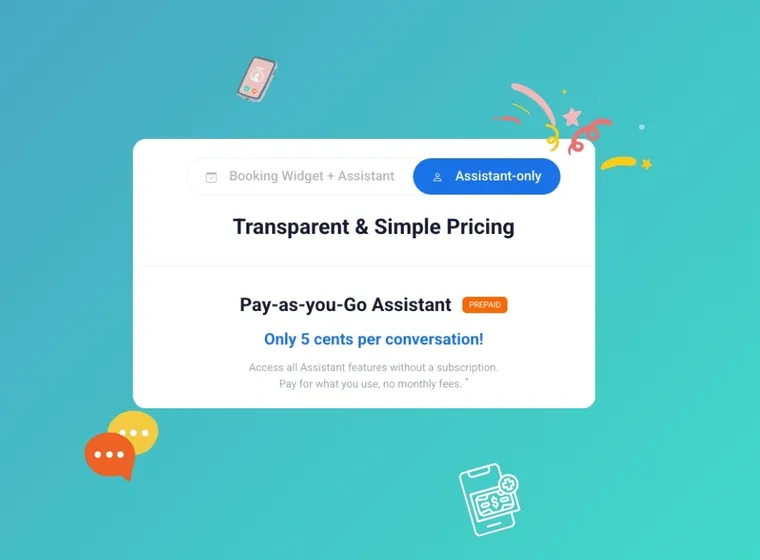
November marks a double milestone for Voxiplan and introduces some important changes. We’re launching an Assistant-only plan for teams that rely on the AI assistant but don’t need the full booking suite, and we’re moving from postpaid invoices to prepaid credits. Together, the changes give you more control over your usage and costs.
New: Introducing the Assistant-Only Plan
The Assistant-only plan takes everything people love about Voxiplan’s AI assistant — live call handling, intelligent SMS follow-ups, chat, FAQs, call recovery flows — and wraps it in a pay-as-you-go model. You add credits which are deducted for telecom minutes, messages, conversations, and any add-ons you choose.
Extra seats, VoxiSMS, and external calendars are optional add-ons: enable them only when you need them and pay in credits at activation. On this plan, seats are managed through the Seats add-on, so you can add more seats to your account as you grow.
Is the Assistant-Only Plan a good fit for you?
Some of our customers do not need an online booking widget or already use online scheduling on a different scheduling tool. If you don’t need access to Voxiplan’s online booking widget features, the “Assistant-only” plan may be a good fit for you.
New: Prepaid Credits for All Plans
Until now, accounts paid for the workspace’s subscription upfront, while calls, SMS, and conversations were charged at the end of your billing period. Starting this month, prepaid credits replace end-of-month invoices for all plans.
Whenever the assistant places a call, sends an SMS, or books an appointment, Voxiplan deducts the cost from your prepaid balance. Adding funds happens inside the billing dashboard: you can choose any amount between 20 and 2,000 in your billing currency.
Load credits before you use them; Voxiplan deducts usage from your balance at the moment it is used.
Recommended: If you’d rather set it and forget it, save a payment method and configure auto top-up. Save a card, set an auto top-up threshold and Voxiplan will refill your balance the moment it drops below the threshold. You’ll get an email when the top-up is triggered, followed by a credit-added confirmation.
Questions and Answers
Will I pay more under prepaid credits?
No, if you stay on your subscription plan, your pricing for calls, SMS, chat conversations, appointments, and add-ons remains the same. The only difference is when the money leaves your account: you preload credits instead of paying after the billing period closes.
If you switch to the Assistant Only plan, the price per conversation is slightly higher. To find out more, click here.
Do I have to enable auto top-up?
It’s optional. Manual top-ups are fine, just stay within the 20-2,000 credit window. We recommend enabling auto top-up to safeguard against downtime and ensure that your services keep running, especially if your usage spikes unexpectedly.
What happens if I forget to add credits and the balance drops to zero?
If your balance hits zero, the assistant pauses calls, SMS, and chat messages until your balance returns to a positive number: outbound SMS won’t send, live calls are rejected before the assistant answers, and chat visitors see a message that the assistant is unavailable because the account balance is empty. Voxiplan sends a low-balance email whenever a credit deduction fails and auto top-up isn’t enabled, so you’ll know to take action before customers notice. Once you top up the system resumes automatically. To ensure service continuity, we recommend enabling auto top-up.
Does this affect my existing subscription plan?
Monthly and annual subscriptions continue exactly as they are. Prepaid credits replace usage-based invoices for telecom, conversations, appointments, and the a-la-carte add-ons, but your base plan and included seats remain intact.
Is the Assistant-only plan required?
Not at all. If you rely on the booking widget or prefer to keep everything bundled, stay on the current plan mode — prepaid credits still handle usage billing behind the scenes, but your subscription workflow remains unchanged.