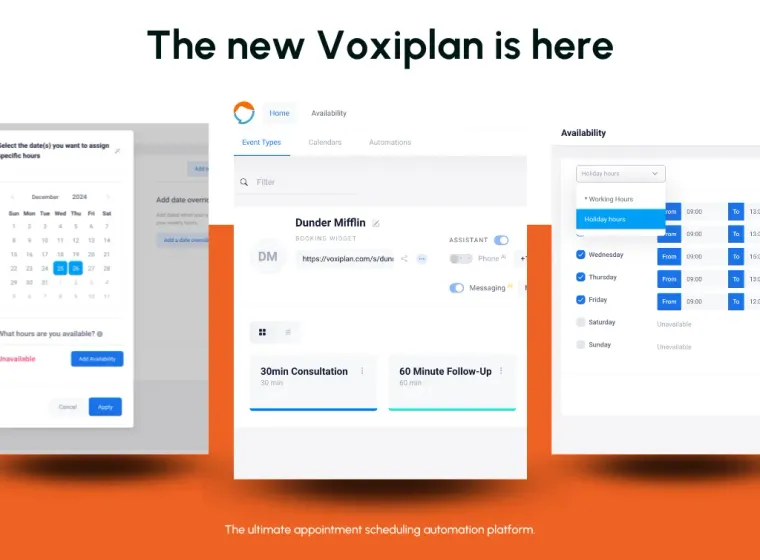
We are thrilled to announce the latest version of Voxiplan, designed with a fresh user interface, enriched scheduling features, and an integrated online calendar. Dive into the new Voxiplan and discover how seamless appointment management can be!
What can you do with VoxiPlan?
Quick refresher: Voxiplan empowers you to automate your scheduling seamlessly both online and over the phone. Key features include:
- Let customers book appointments with you automatically online and over the phone
- Integrate with your Google calendar, Outlook or other calendar accounts
- Customize your automated phone assistant with a choice of over 160 voices across 80 languages.
- Manage teams for shared appointment scheduling
- Direct calls efficiently with a comprehensive phone system
- Handle calls and appointment queries automatically, freeing you to focus on your tasks.
What’s new in VoxiPlan?
Our excitement is palpable with this release, packed with features that streamline your operations and enhance usability. Here are some of the highlights we think you’ll love.
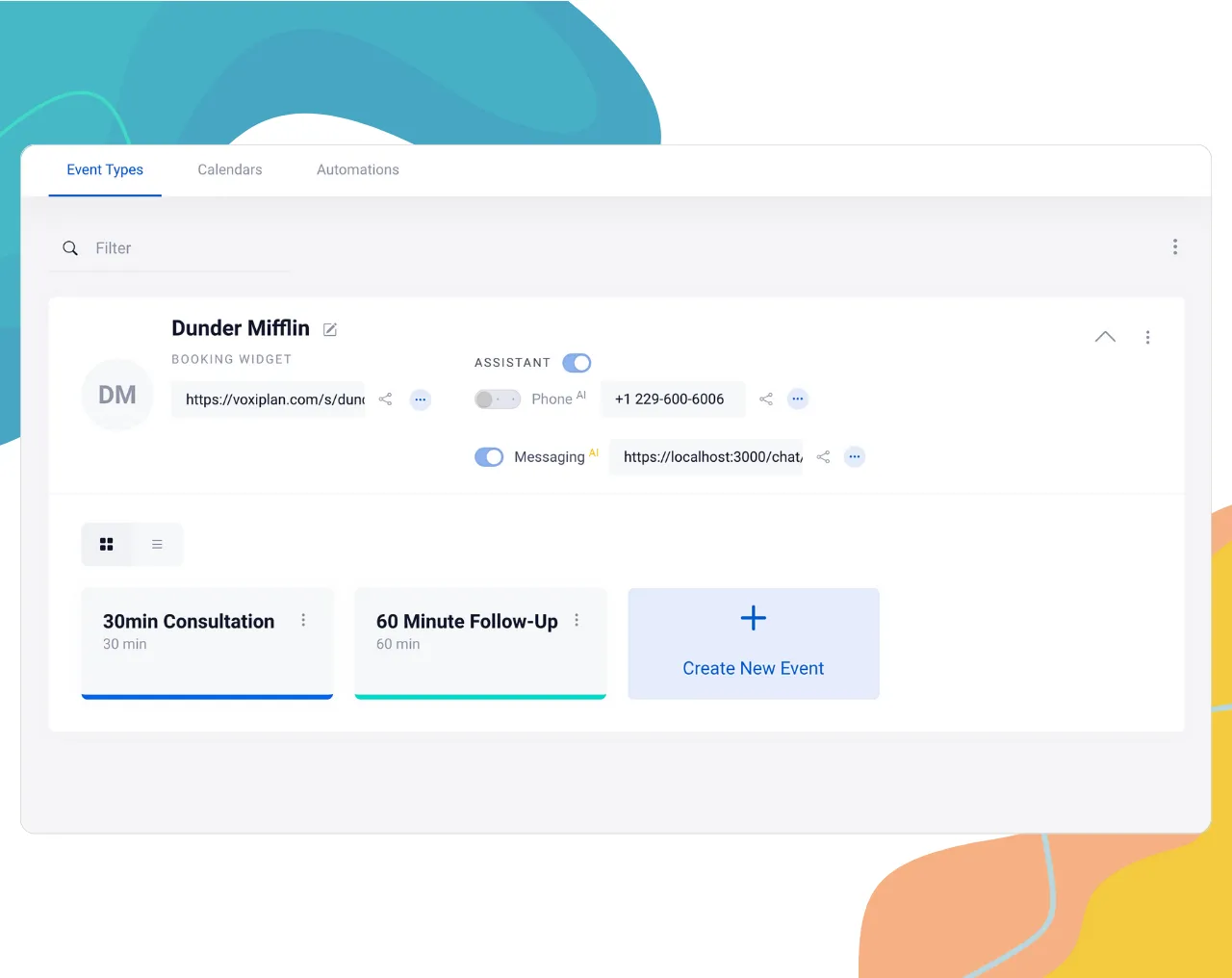
Experience our redesigned interface that simplifies navigation and setup, allowing you to manage events and phone assistants effortlessly.
Brand-new user interface for ease of use
New In-App Calendar
Schedule and manage your events directly within Voxiplan, eliminating the need for external calendars.
This is especially useful if you don’t want to use an online calendar like Google, Outlook or iCal and if you don’t use any other booking management systems.
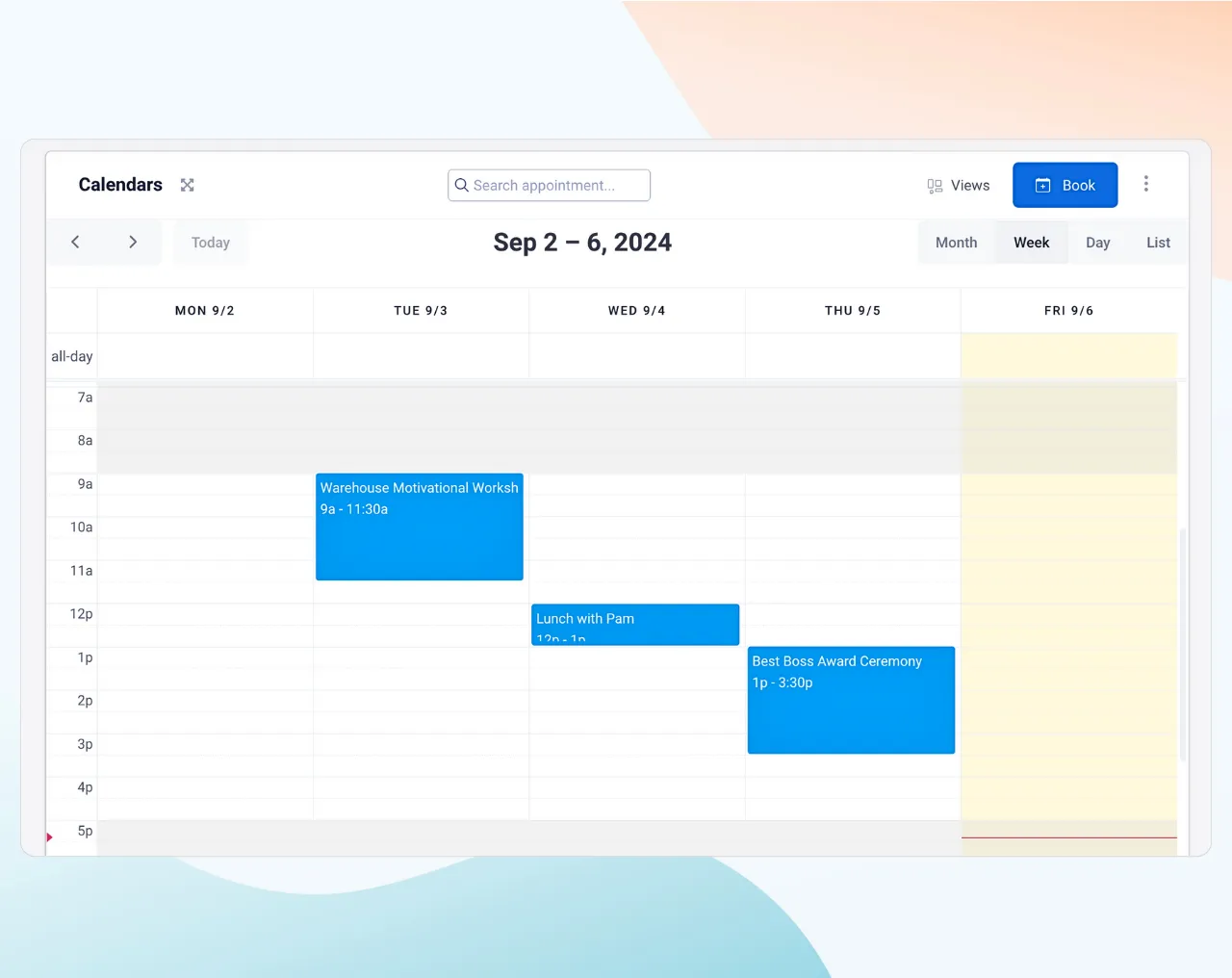
Features include:
- Multiple calendar view options such as month, week, day, and list view
- Resource view to monitor team and resource schedules in parallel on a timeline or grid view.
- Book, edit and reschedule events from right inside VoxiPlan
- Drag-and-drop functionality for easy event management
Conversational AI Bot (Beta)
We’re excited to introduce a groundbreaking addition to Voxiplan: the Conversational AI Bot, now in beta. This innovative feature extends the functionality of Voxiplan across phone, chat, and SMS, enabling automated appointment scheduling through natural, human-like conversations. Whether your clients prefer to communicate via phone calls, messaging, or texts, our AI bot can handle requests with the ease of speaking to a human assistant.
The AI understands and processes user requests in real-time, ensuring a smooth scheduling experience that mimics a live conversation. This level of interaction not only enhances user engagement but also streamlines the booking process, making it more efficient and accessible. As this feature is currently in beta, we are keen to gather feedback and refine its capabilities to better suit your needs.
Enhanced Booking Flexibility
Embeddable Booking Widget: Integrate your booking system directly into your website as either a button or a widget to enhance user experience and accessibility.
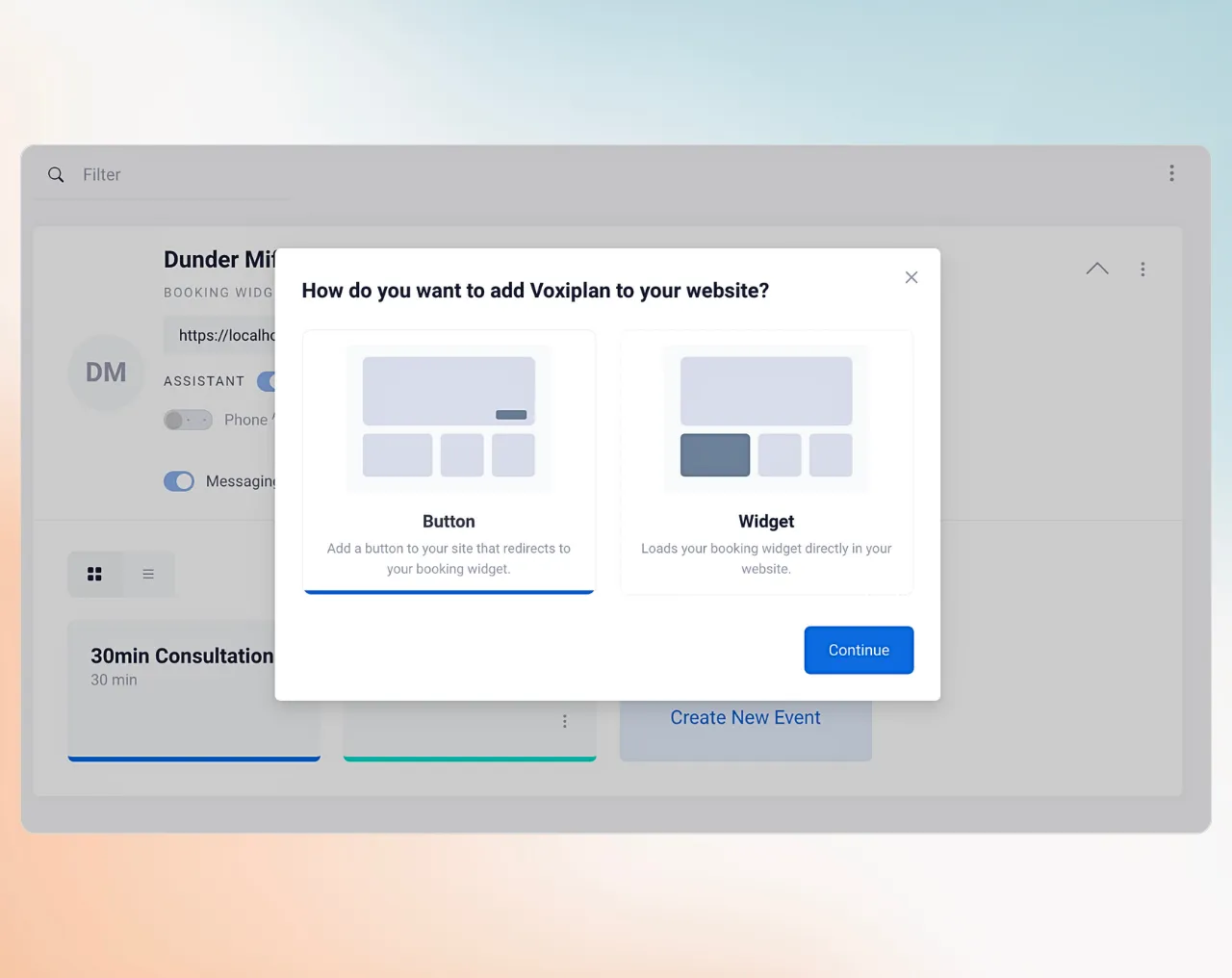
Customizable Business Hours and Date Overrides: Tailor business hours for different events and set unique hours for special dates.
Business hours templates and date overrides
VoxiPlan V2 introduces flexible scheduling options with the ability to create custom templates for business hours.
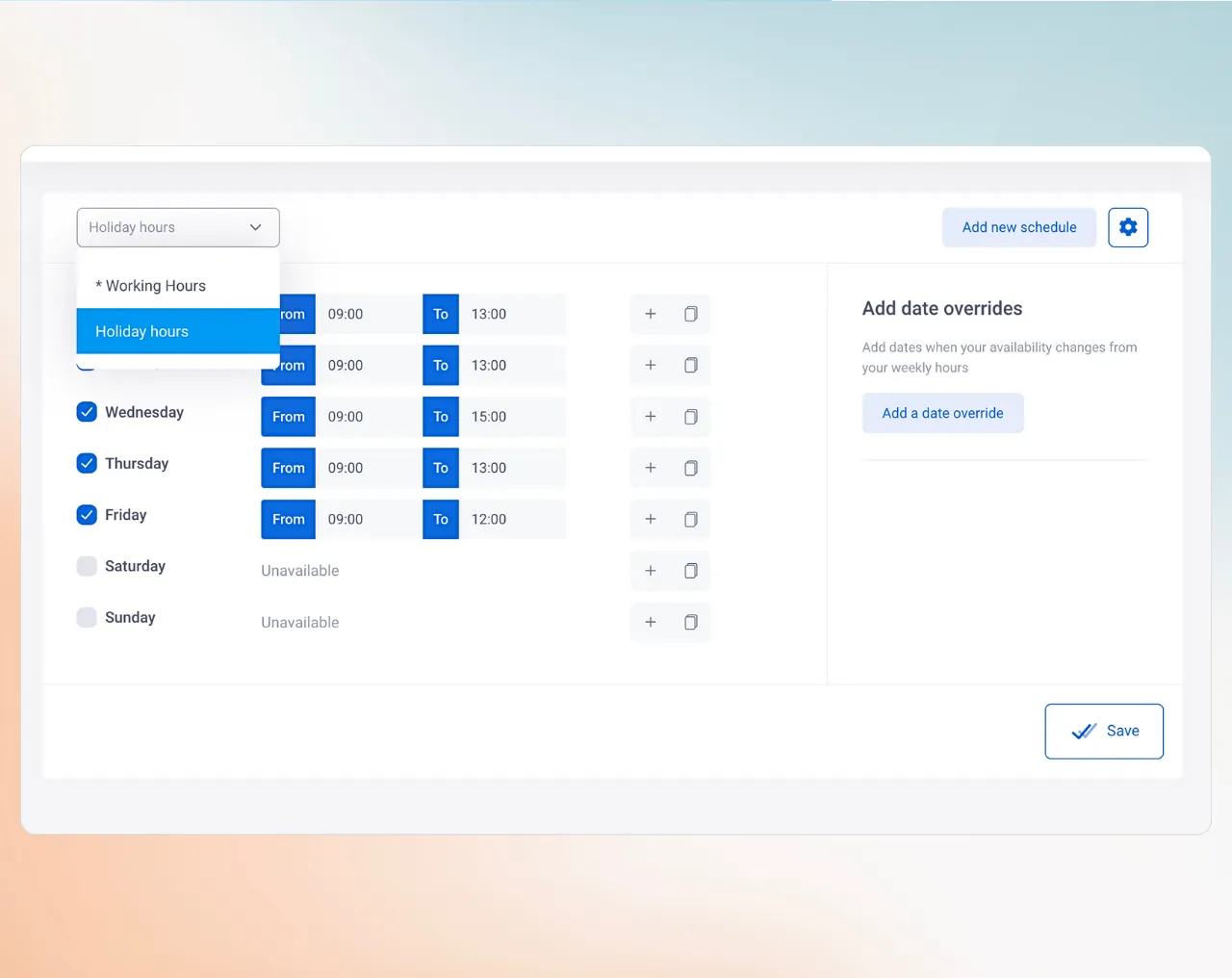
These templates can be applied to different event types, allowing you to tailor your availability according to the specific needs of your services.
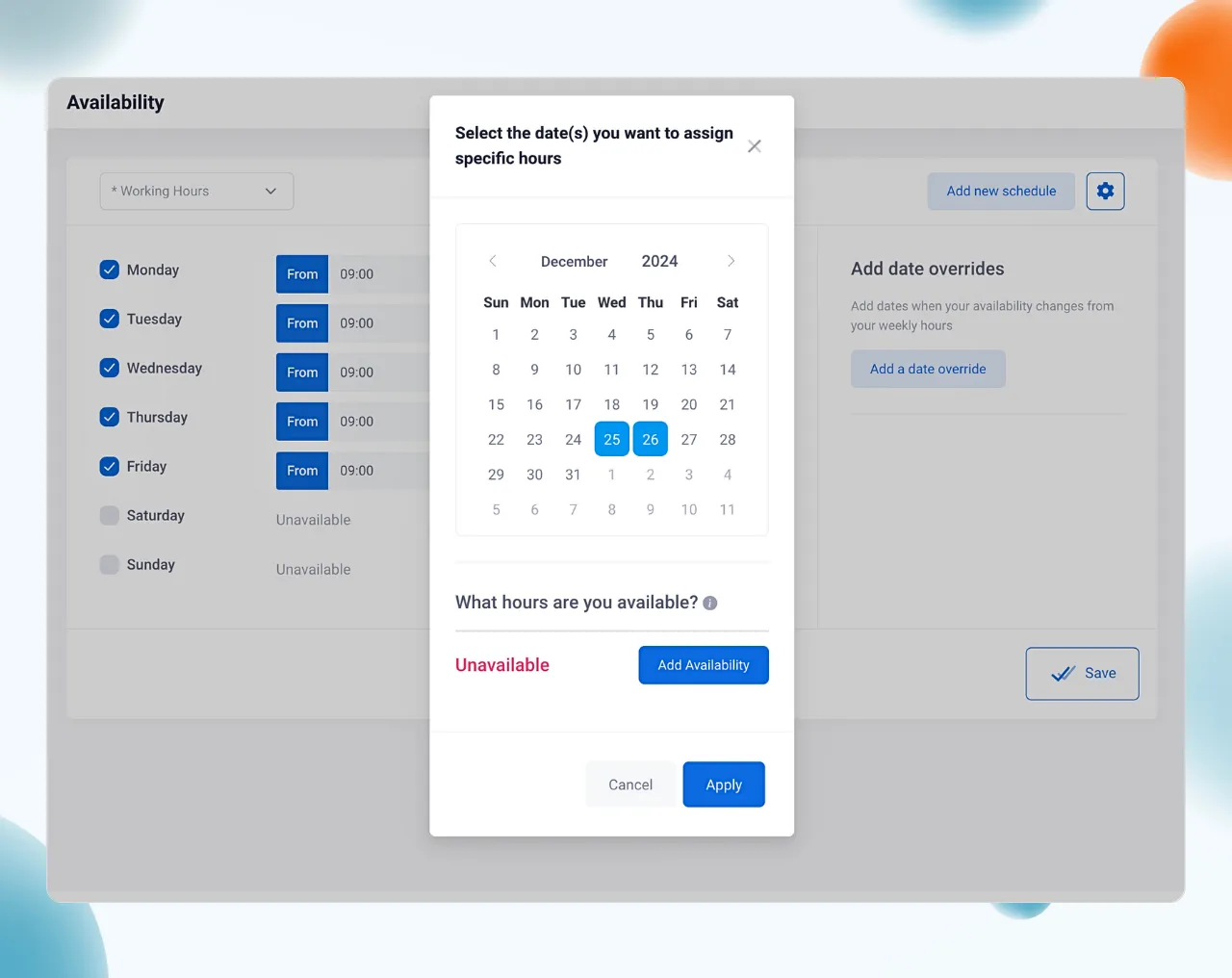
Additionally, date overrides enable you to set unique operating hours for special dates or occasions. This feature is particularly useful for accommodating holidays, special events, or unexpected changes in availability, ensuring that your scheduling remains precise and responsive to your business needs.
Collect Payments with Stripe
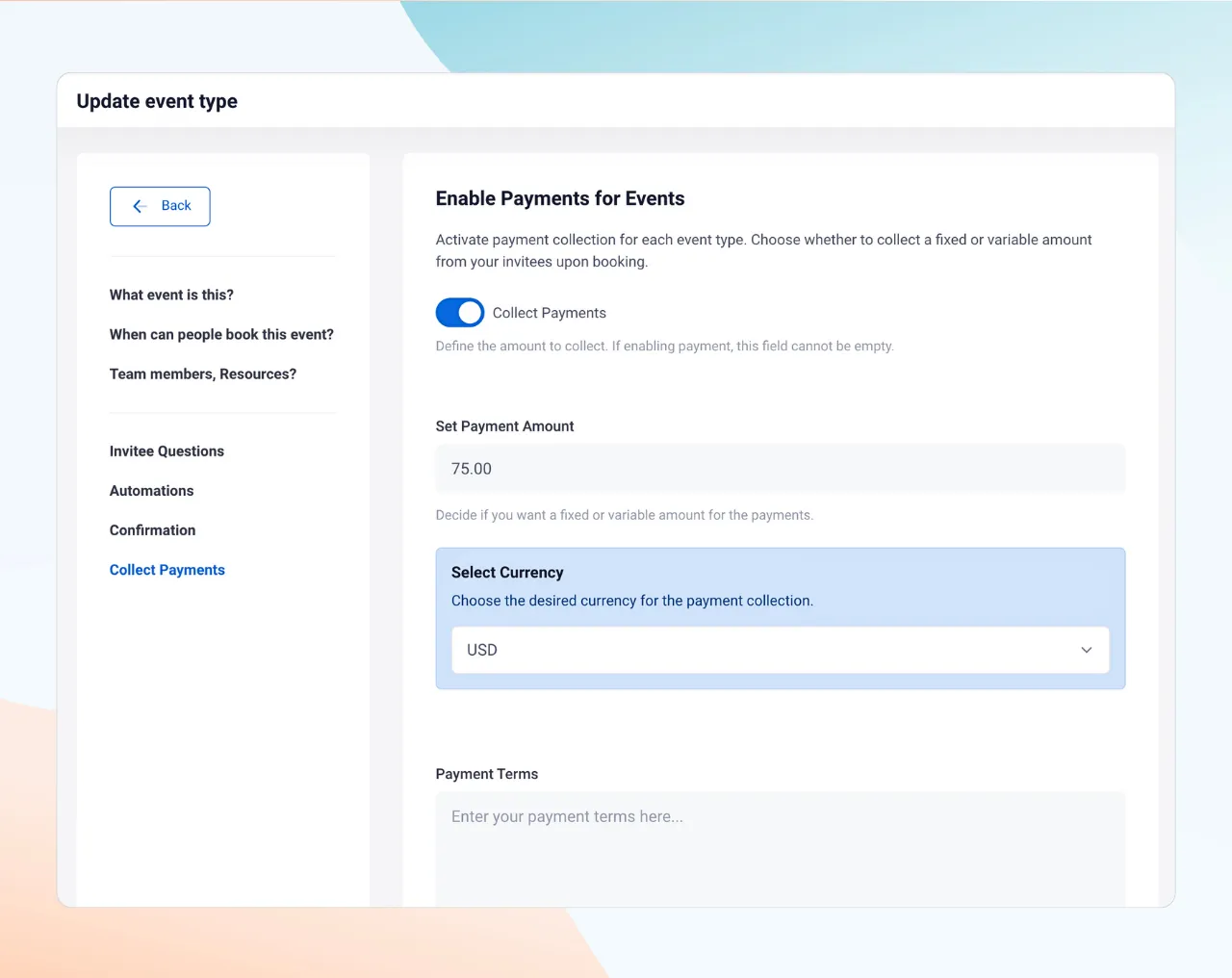
Connect your Stripe account using our new Stripe integration to collect payments securely at the time of booking. This feature supports various payment methods, simplifies transactions, and enhances cash flow. Stripe ensures prompt and secure payments, reduces manual billing, and improves the customer experience.
Event-level settings
Previously, any availability settings you applied in your account settings affected all events. With Voxiplan V2, you can now set general availabilities at the account level and customize availability for specific events.
For instance, if you offer yoga classes daily and CrossFit on Tuesdays and Thursdays, you can now set these specific availabilities, ensuring that invitees can only book on these designated days.
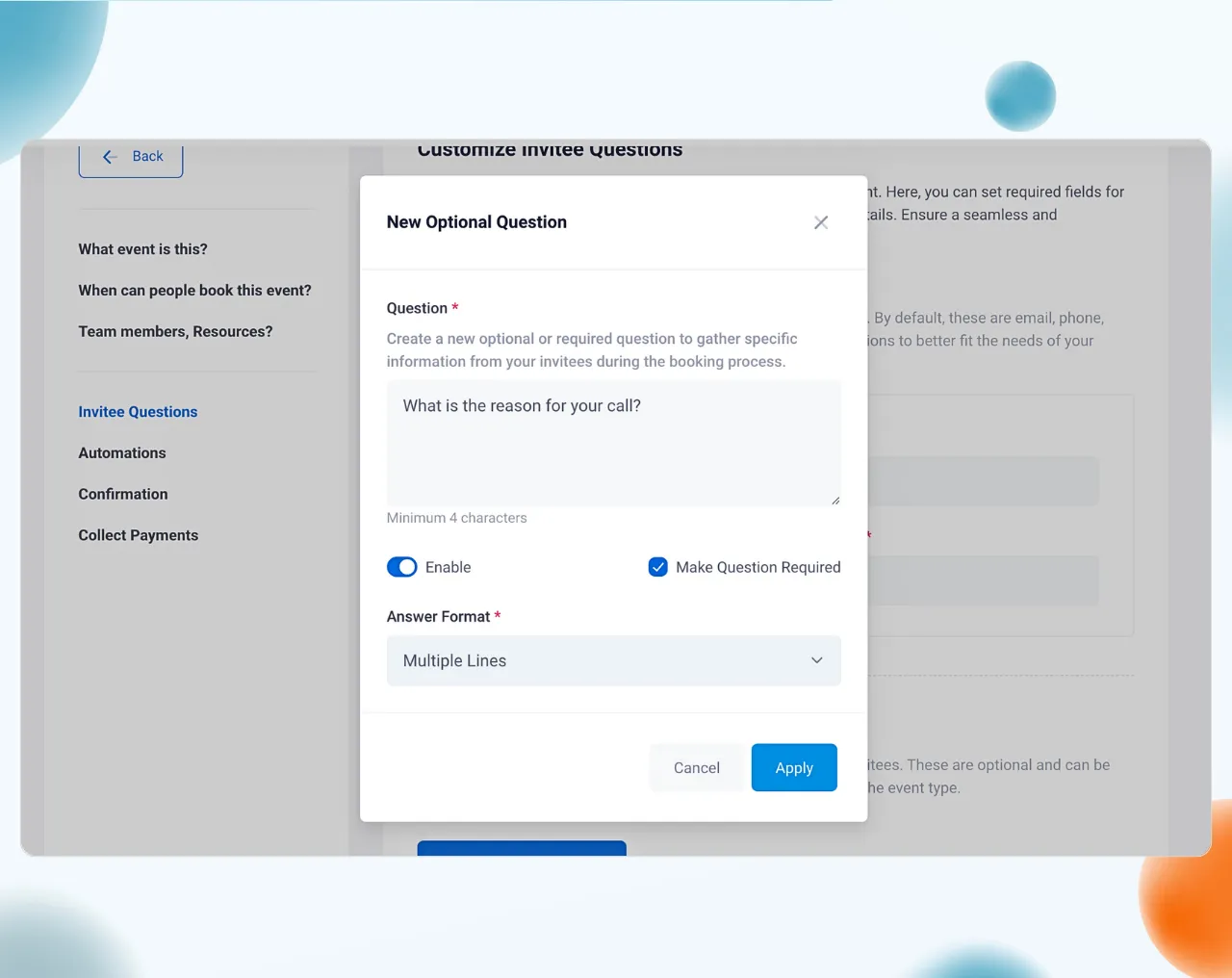
Additional event-specific settings allow you to:
- Ask customized questions to your invitees at the time of booking
- Assign particular team members to specific events.
- Override general availability settings for special dates, such as holidays or unique business hours.
Workspaces and Teams
In the new Voxiplan dashboard, you’ll find that events are organized within workspaces. This structure lets you:
- Create separate workspaces for different teams or business locations.
- Customize settings uniquely for each workspace.
- Invite team members to specific workspaces for enhanced collaboration and management.
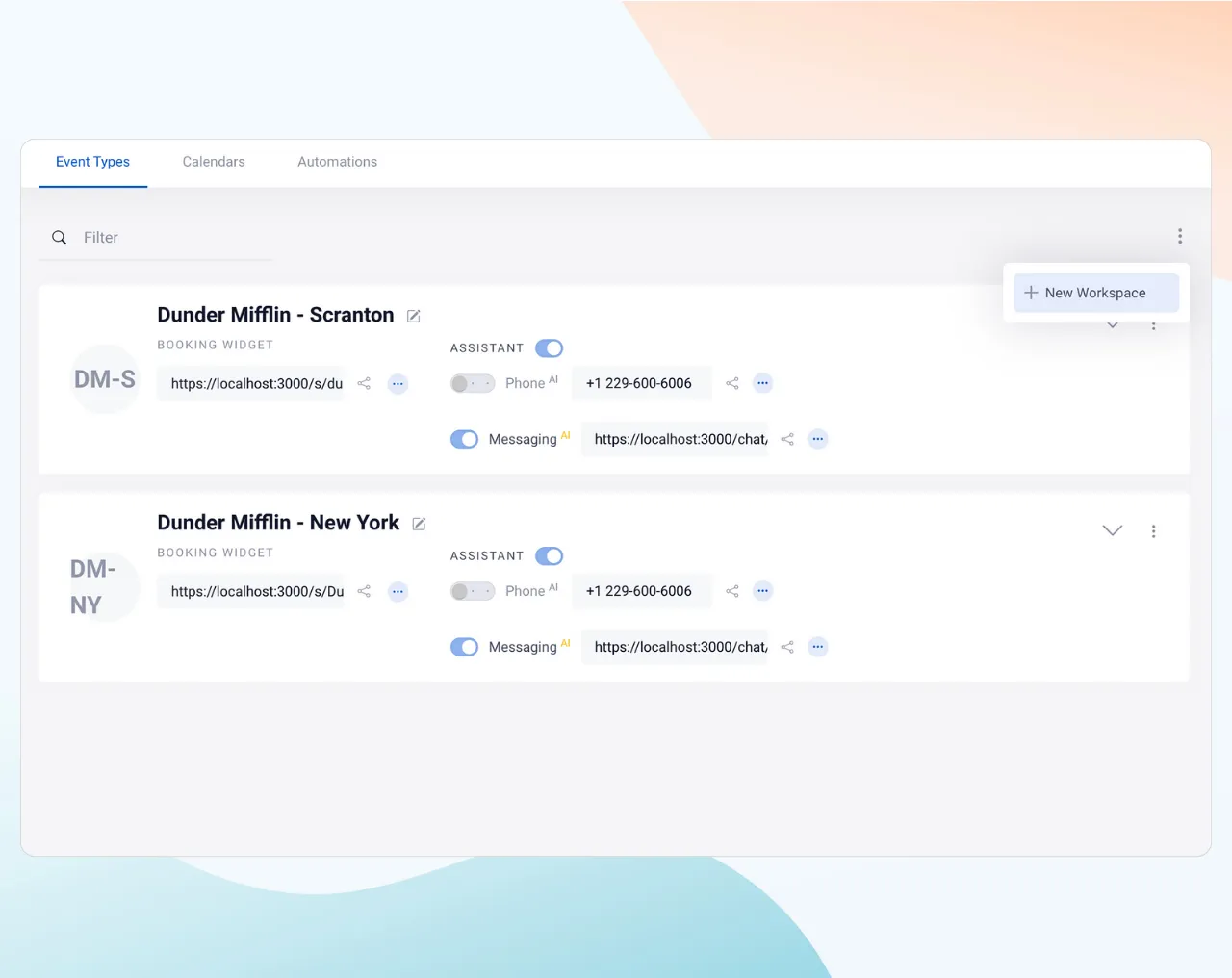
You can even customize the look and feel of the booking widget for each workspace.
Organizations
Voxiplan V2 introduces the concept of Organizations. With this new feature, your account is now part of an overarching organization structure, which houses teams and workspaces, offering even greater flexibility and scalability for managing multiple business units or brands.
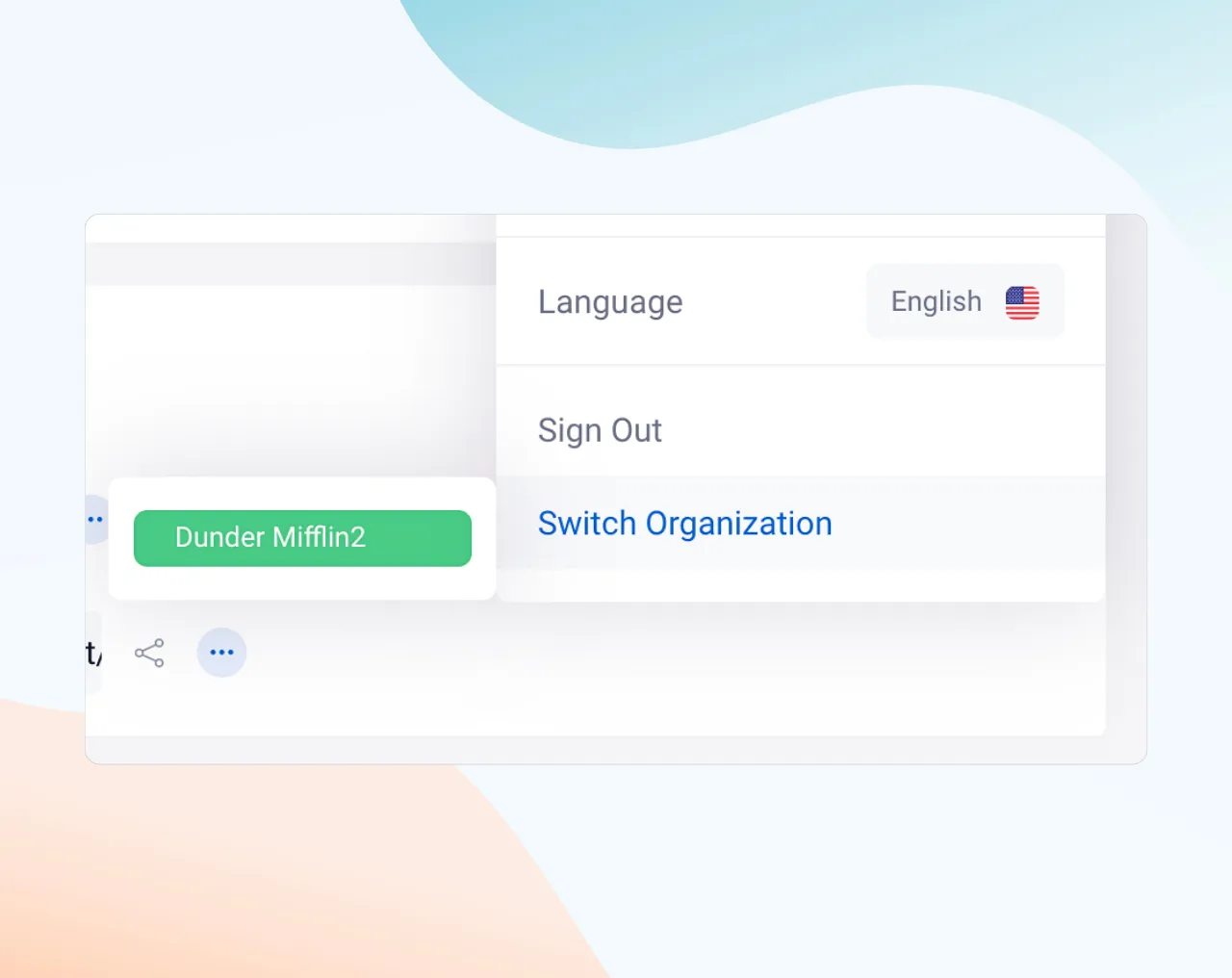
You can invite members to join your organization and have individual workspaces that are grouped under it.
Get started with Voxiplan V2
If you’re an existing user, log in to explore the enhancements of Voxiplan V2 and see how they can improve both your front- and back-office operations.
New users are invited to sign up and join the diverse range of professionals who are benefiting from our scheduling solutions.
Transform the way you connect with your customers
Our commitment remains strong: to create a tool that truly reflects the way you work, supported by the invaluable feedback and support from our users. We’re eager to keep building features that add value to your business.
Enjoy the new Voxiplan and let us know your thoughts! For any questions or feedback, reach out at contact@voxiplan.com.
Thank you for being a vital part of the Voxiplan community!
— The Voxiplan Team